

Autoenhance.ai logo
Rank #510
AI FILTER APPLICATIONS FREEMIUM CLOUD #1 in AI Filter Applications State of the Art

Autoenhance.ai Review — Real Estate Photo Enhancement

Enhance and batch process real estate photos for professional-quality results quickly and easily.
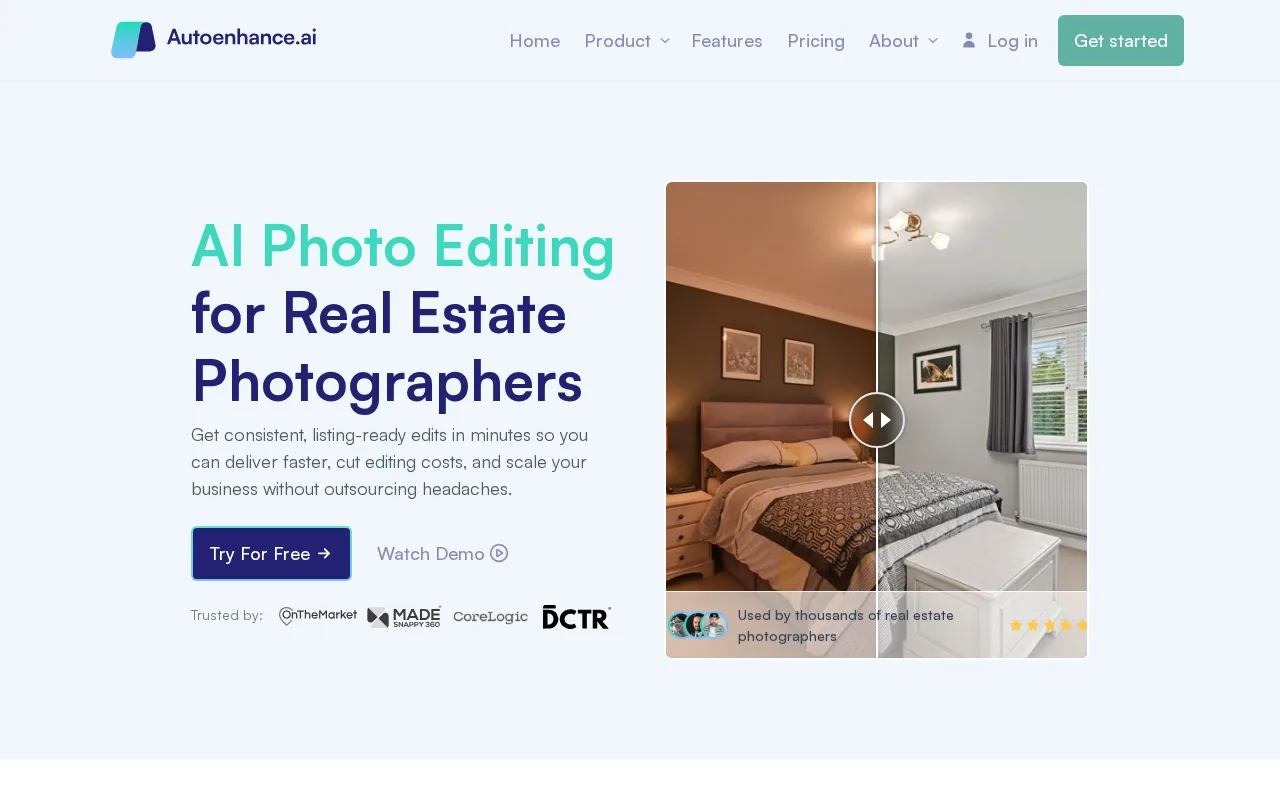
Autoenhance.ai — preview
7.5
Volvenix Verdict
AI-powered editorial review
Autoenhance.ai
A specialized tool that simplifies real estate photo editing with effective automation and batch processing.
PROS
  • Specialized for real estate photo enhancement
  • Automates lighting, perspective, and object removal
  • Supports batch processing for efficiency
  • User-friendly interface for quick edits
  • Consistent output tailored to property images
CONS
  • Limited to real estate photography use cases
  • Lacks advanced manual editing features

Is Autoenhance.ai Right for You?

A quick checklist to help you decide.

You need to quickly enhance large batches of real estate photos with minimal manual effort
You need advanced manual photo editing tools beyond automated corrections
You want consistent lighting and perspective corrections tailored for property images
Free-tier limits are a blocker for processing high volumes of images regularly
Your team requires a streamlined workflow focused on real estate photo editing automation
You require a tool that supports diverse photography styles outside real estate

Ideal for: Real estate agents, property photographers, and small agencies needing fast, automated photo enhancements for listings.

Less suited for: General photographers or creatives requiring extensive manual editing or non-real estate image enhancements.

Bottom line: Specialized automation tailored to real estate photo workflows and batch processing.

Editorial Review AI-generated
Autoenhance.ai excels at automating common photo corrections needed in real estate photography, such as lighting adjustments and perspective fixes. Its batch processing capability saves time for professionals handling multiple images. However, it is narrowly focused on real estate, limiting its usefulness for other photography needs. The interface is straightforward but may lack advanced manual controls for expert users. Overall, it is best suited for realtors and photographers seeking quick, consistent enhancements without deep editing.
Pros & Cons

Pros

Tailored specifically for real estate photo workflows
Automates common photo corrections effectively
Batch processing saves time on multiple images
Easy to use with minimal setup
Produces consistent, professional-quality results

Cons

Narrow focus limits use outside real estate moderate
No advanced manual editing options minor
Who Is It For & What Can It Do
Best For
Small Business (1–10) Beginner curve
AI Capabilities
Image enhancement
Key Features
Lighting Correction
Automatically adjusts photo lighting for clarity
Perspective Correction
Fixes image perspective distortions
Object Removal
Removes unwanted objects from photos
Batch processing
Process multiple images simultaneously
Manual Editing Tools
Limited manual adjustment options
Best Use Cases
Enhancing real estate listing photos Batch processing property images for agencies Improving lighting and perspective in interior shots Removing distractions from property photos Streamlining photo workflows for realtors
Available Platforms
Web App
Inputs & Outputs
Imageinput Imageoutput
Supported Languages
English
Security & Compliance
Certifications
SOC 2 Type II
AICPA
ISO 27001
ISO
GDPR
European Union
Compliance Standards
GDPR
Privacy · EU
Pricing Plans

Free

Best for individuals

Free
 
  • Basic photo enhancements
  • Limited batch processing

Offers a free plan with basic features and paid subscriptions for higher volume and advanced capabilities.

Price Range
Free $0–$0
Support Channels
Email
Did you find this page helpful?
Frequently Asked Questions
What is this tool?
Autoenhance.ai automates photo enhancements for real estate images, improving lighting, perspective, and removing objects.
How much does it cost?
It offers a free plan with basic features and paid subscriptions for higher volume and advanced options.
Does it have a free plan?
Yes, there is a free plan available with limited batch processing and basic enhancements.
What integrations does it support?
No public information on integrations is available.
Who is it best for?
It is best suited for real estate agents and photographers needing quick, automated photo enhancements.
User Reviews

No reviews yet. Be the first to review Autoenhance.ai!

Write a Review
Discussion
No discussions yet. Start the conversation!
0 tools selected
Compare Now →
Autoenhance.ai Visit Tool