CVAT logo
Rank #830
DATA ANNOTATION FREEMIUM SELF HOSTED #5 in Data Annotation

CVAT Review — Image & Video Annotation Tool

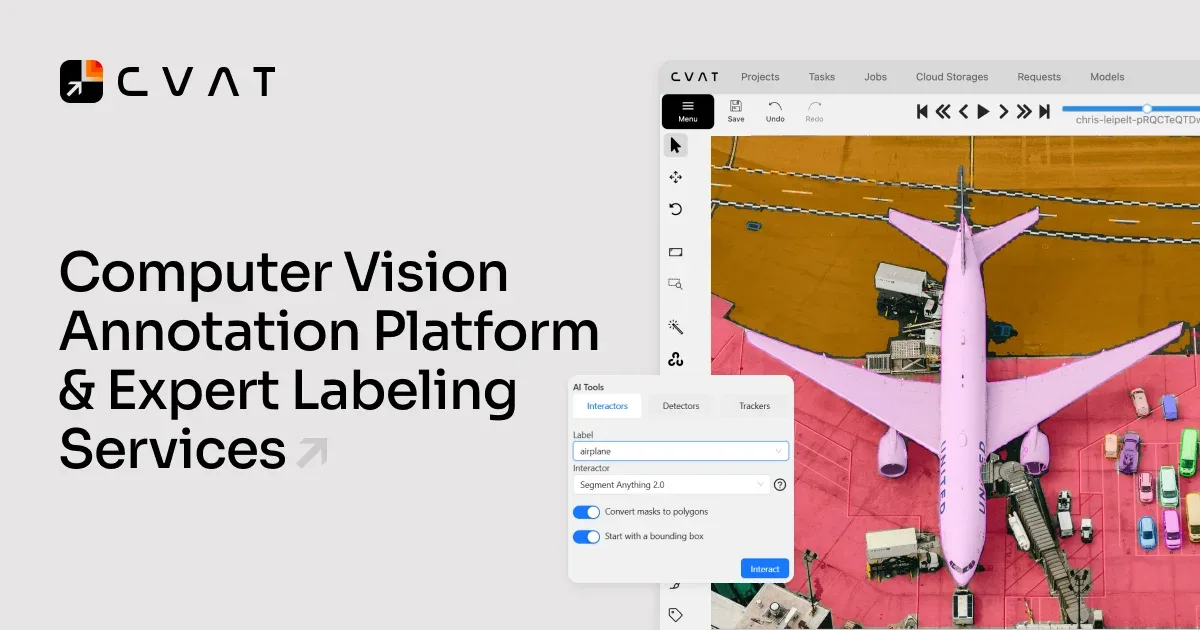
Open-source tool for detailed image and video annotation tailored for computer vision projects.
6.8 / 10
Visit CVAT
18 monthly visitors 16K GitHub stars 18 page views (30d)
Reviewed by Volvenix Editorial
7.8
Volvenix Verdict
AI-powered editorial review
CVAT
A powerful, flexible open-source annotation tool ideal for teams needing detailed image and video labeling.
PROS
  • Comprehensive image and video annotation features
  • Open-source with strong community support
  • Supports multiple annotation formats and collaborative workflows
CONS
  • Steep learning curve for new users
  • Requires technical setup and maintenance

Is CVAT Right for You?

A quick checklist to help you decide.

You need detailed annotation tools for images and videos in computer vision projects.
You need a simple, out-of-the-box annotation tool with minimal setup.
You want an open-source platform that can be customized and integrated into workflows.
Free-tier limits are a blocker for your annotation volume or team size.
Your team requires collaborative annotation capabilities with support for multiple label formats.
You require a fully managed SaaS solution without self-hosting or technical maintenance.

Ideal for: Computer vision researchers and development teams needing customizable, detailed annotation for images and videos.

Less suited for: Non-technical users or small teams looking for a simple, plug-and-play annotation tool without setup overhead.

Bottom line: Open-source flexibility combined with advanced video and image annotation features.

Editorial Review AI-generated
CVAT excels in providing a comprehensive set of annotation tools for both images and videos, supporting various label types and formats. Its open-source framework allows customization and integration into existing workflows, making it popular among research and development teams. However, the user interface can be complex for beginners, and setup requires technical knowledge. It is best suited for teams with some technical expertise who need precise and scalable annotation capabilities.

AI-assessed from 3 sources.

Pros & Cons

Pros

Robust support for video and image annotation
Highly customizable and extensible open-source platform
Supports multiple annotation formats and export options
Collaborative annotation with user roles and tasks
Active community and continuous development

Cons

Complex setup requiring technical skills major
Workaround: Use community guides or managed hosting if available
User interface can be overwhelming for beginners moderate
Workaround: Invest time in tutorials and documentation
No official mobile app for annotation on the go minor
Who Is It For & What Can It Do
Best For
Developer / Engineer Data Scientist / Analyst Product Manager Advanced curve
AI Capabilities
Data Annotation
Key Features
Image Annotation
Supports bounding boxes, polygons, points, and polylines
Video Annotation
Frame-by-frame video labeling with interpolation
Collaborative workflows
User roles, tasks, and access control for teams
Annotation Formats
Exports to COCO, Pascal VOC, YOLO, and more
Automation Plugins
Supports integration with AI models for semi-automatic labeling
Best Use Cases
Training data preparation for computer vision models Video surveillance object labeling Autonomous vehicle sensor data annotation Medical imaging dataset annotation Research projects requiring custom annotation workflows
Available Platforms
Web App
Inputs & Outputs
Imageinput Videoinput Imageoutput Videooutput
Supported Languages
English
Security & Compliance
Compliance Standards
GDPR
Privacy · EU
Pricing Plans

Free

Open-source self-hosted

Free
 
  • Full annotation features
  • Community support

Free open-source core with optional paid cloud-hosted services for teams needing managed infrastructure.


Price Range
Free $0–$0
Support Channels
Did you find this page helpful?
Frequently Asked Questions
What is this tool?
CVAT is an open-source tool for annotating images and videos to create datasets for machine learning.
How much does it cost?
CVAT is free to use as open-source software; paid managed services are available separately.
Does it have a free plan?
Yes, the core CVAT tool is free and open-source with no usage limits.
What integrations does it support?
CVAT supports export to common annotation formats and can integrate with AI models via plugins.
Who is it best for?
It is best for technical teams needing detailed, customizable annotation for computer vision projects.
User Reviews

No reviews yet. Be the first to review CVAT!

Write a Review
Discussion
No discussions yet. Start the conversation!
0 tools selected
Compare Now →
CVAT Visit Tool