
DocuWriter.ai logo
Rank #1375
FREEMIUM CLOUD #7 in Documentation Automation

DocuWriter.ai Review — Documentation Automation

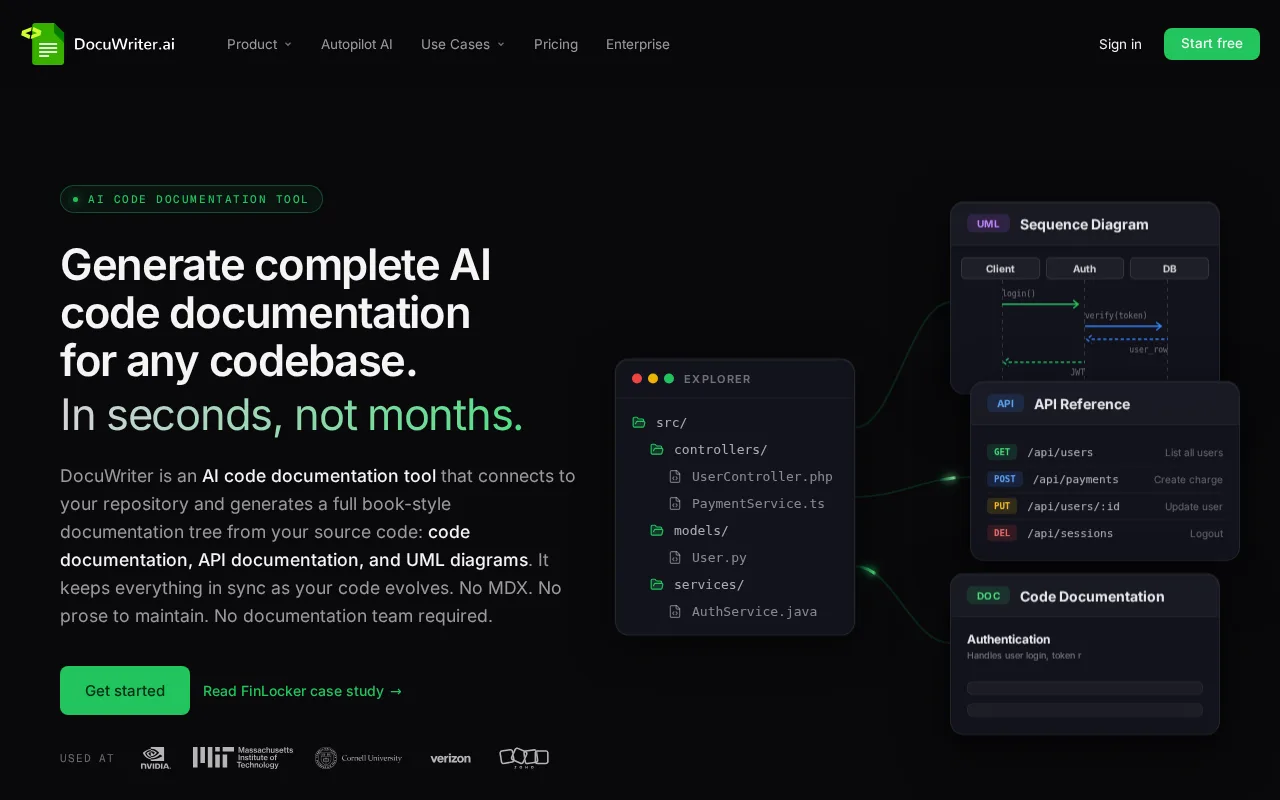
Generate and maintain developer documentation automatically from your codebase with ease.
7.0
Volvenix Verdict
AI-powered editorial review
DocuWriter.ai
A solid tool for automating developer documentation with room for deeper integrations.
PROS
  • Automates documentation generation from code
  • Reduces manual documentation workload
  • Keeps docs synchronized with code changes
CONS
  • Limited third-party integrations
  • Customization options are basic

Is DocuWriter.ai Right for You?

A quick checklist to help you decide.

You want to reduce manual effort in writing developer docs from code.
You need extensive third-party integrations beyond core code parsing.
You need to keep documentation synchronized with ongoing code changes.
Free-tier limits are a blocker for your documentation volume or team size.
Your team prefers automated tools that integrate with existing code workflows.
You require highly customizable documentation templates and styling.

Ideal for: Developers and small teams wanting to automate and maintain accurate code documentation with minimal manual effort.

Less suited for: Large enterprises needing deep integrations or advanced customization should consider more robust documentation platforms.

Bottom line: How well it automates documentation generation directly from your codebase.

Editorial Review AI-generated
DocuWriter.ai excels at generating documentation directly from source code, saving developers significant time. Its automation helps maintain consistency and reduces manual errors. However, it lacks extensive integrations and advanced customization options found in some competitors. Best suited for small to medium developer teams seeking to automate documentation without complex setup.
Pros & Cons

Pros

Automates documentation directly from source code
Easy to use with minimal setup
Supports multiple programming languages
Helps keep docs up to date with code changes
Affordable pricing tiers including a free plan

Cons

Limited third-party integrations moderate
Basic customization options for documentation output minor
No public API available moderate
Who Is It For & What Can It Do
Best For
Developer / Engineer Marketer Product Manager Intermediate curve
AI Capabilities
Documentation Automation
Key Features
Code Parsing
Extracts documentation from code comments and structure
Multi-language Support
Supports popular programming languages
Export Options
Export docs in multiple formats
Team collaboration
Allows multiple users to collaborate on docs
Versioning
Track changes and versions of documentation
Best Use Cases
Automate app documentation generation Maintain up-to-date developer guides Generate code reference manuals Support onboarding with accurate docs Streamline documentation workflows
Available Platforms
Inputs & Outputs
Codeinput Documentoutput
Supported Languages
English
Security & Compliance
Compliance Standards
GDPR
Privacy · EU
API & Developer Tools
Pricing Plans

Free

Best for individuals

Free
 
  • Basic documentation generation
  • Limited projects

Team

For small teams

$30/mo
$30.00/mo billed annually
  • Team collaboration
  • Priority support

Offers a free tier with basic features and paid plans for advanced capabilities and larger teams.


Price Range
Free $0–$0 Low Cost $0–$20 Mid Range $20–$100
Support Channels
Documentation
Did you find this page helpful?
Frequently Asked Questions
What is this tool?
DocuWriter.ai automates software documentation by extracting info from code and comments.
How much does it cost?
It offers a free plan and paid subscriptions starting at $20/month.
Does it have a free plan?
Yes, there is a free tier suitable for individuals with basic needs.
What integrations does it support?
Currently, it has limited third-party integrations.
Who is it best for?
Ideal for developers and small teams wanting automated, code-based documentation.
User Reviews

No reviews yet. Be the first to review DocuWriter.ai!

Write a Review
Discussion
No discussions yet. Start the conversation!
0 tools selected
Compare Now →
DocuWriter.ai Visit Tool