Launchable logo
Rank #793
ERROR REDUCTION FREEMIUM CLOUD #5 in Error Reduction

Launchable Review — Test Selection & Debugging Efficiency

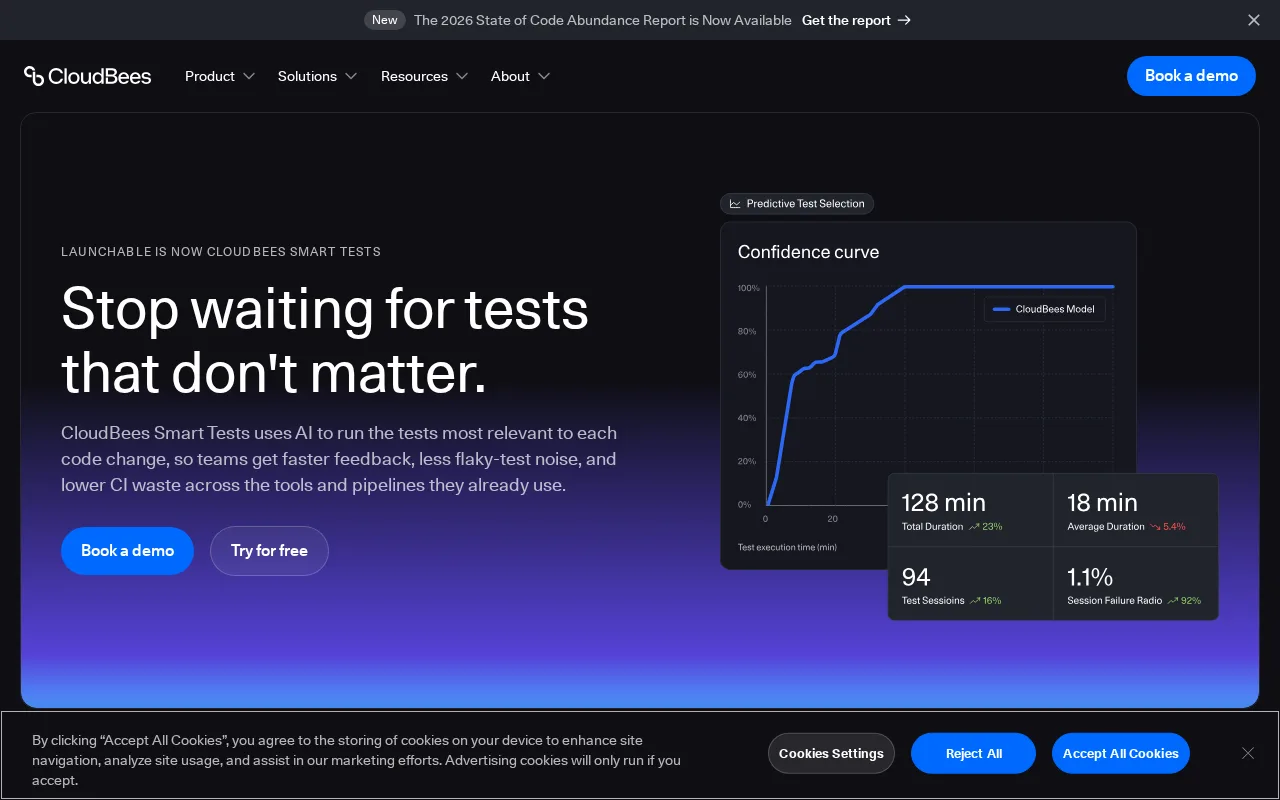
Launchable helps developers quickly identify relevant tests to reduce errors and speed up debugging.
Updated Jun 12, 2026 automation debugging developer-tools
8 monthly visitors 9 page views (30d)
Reviewed by Volvenix Editorial
7.5
Volvenix Verdict
AI-powered editorial review
Launchable
Launchable effectively streamlines test selection to boost debugging efficiency for development teams.
PROS
  • Efficient test selection reduces unnecessary test runs
  • Improves debugging speed by focusing on relevant tests
  • Integrates with CI/CD pipelines
  • Machine learning-driven test optimization
  • Supports error reduction in development workflows
CONS
  • Limited to test selection, not full debugging
  • Requires automated testing infrastructure

Is Launchable Right for You?

A quick checklist to help you decide.

You want to reduce test execution time by running only relevant tests per code change
You need a full IDE-based debugging tool with step-through code inspection
You need to improve debugging efficiency by focusing on error-prone areas quickly
Free-tier limits are a blocker for your team’s test volume and usage needs
Your team requires integration with existing CI/CD pipelines for automated test selection
You require extensive integrations beyond test selection and execution optimization

Ideal for: Development teams with automated testing pipelines seeking to reduce test execution time and improve error detection.

Less suited for: Small teams without automated tests or those looking for a full debugging IDE rather than test selection optimization.

Bottom line: Effectiveness in selecting relevant tests to reduce debugging and test execution time.

Editorial Review AI-generated
Launchable excels at reducing the time developers spend running unnecessary tests by intelligently selecting relevant ones based on code changes. This targeted approach improves debugging speed and software quality. However, it may require integration effort and is best suited for teams with established CI/CD pipelines. Smaller teams or those without automated testing might find less value. Overall, it is a solid tool for improving test efficiency and error reduction in development workflows.

AI-assessed from 3 sources.

Pros & Cons

Pros

Reduces test execution time significantly
Improves debugging focus with relevant test selection
Easy integration with CI/CD workflows
Machine learning enhances test accuracy
Supports error reduction in software development

Cons

Limited to test selection, not a full debugging tool moderate
Requires existing automated testing infrastructure major
Workaround: Implement automated tests before adoption
Who Is It For & What Can It Do
Best For
Developer / Engineer Product Manager Intermediate curve
AI Capabilities
Test Selection
Key Features
Test Selection
Selects relevant tests based on code changes
CI/CD Integration
Integrates with continuous integration pipelines
Machine Learning
Uses ML to optimize test relevance and coverage
Error Reduction
Helps identify error-prone code areas faster
User Analytics
Provides insights on test runs and coverage
Best Use Cases
Optimize test execution in CI/CD pipelines Reduce debugging time by focusing on relevant tests Improve software quality with targeted test runs Accelerate release cycles by minimizing test overhead Identify error-prone code areas quickly
Available Platforms
Web App
Integrations
CI/CD Pipelines
Inputs & Outputs
Codeinput Codeoutput
Supported Languages
English
Security & Compliance
Compliance Standards
GDPR
Privacy · EU
Pricing Plans

Free

Best for individuals

Free
 
  • Basic test selection
  • Limited usage

Launchable offers a free tier with basic features and paid plans for advanced usage and team collaboration.


Price Range
Free $0–$0
Support Channels
Did you find this page helpful?
Frequently Asked Questions
What is this tool?
Launchable is a test selection platform that helps developers run only relevant tests to speed up debugging and improve code quality.
How much does it cost?
Launchable offers a free tier with basic features and paid plans for advanced usage and team collaboration.
Does it have a free plan?
Yes, Launchable provides a free plan suitable for individuals with limited usage.
What integrations does it support?
Launchable integrates with popular CI/CD pipelines to automate test selection.
Who is it best for?
It is best for development teams with automated testing pipelines seeking to reduce test execution time.
User Reviews

No reviews yet. Be the first to review Launchable!

Write a Review
Discussion
No discussions yet. Start the conversation!
0 tools selected
Compare Now →
Launchable Visit Tool