Ebsynth logo
Rank #714
FREE DESKTOP #2 in Video style transfer

Ebsynth Review — Video Style Transfer

Transfer artistic styles to videos effortlessly with Ebsynth.
Updated Jun 1, 2026 artistic style-transfer video
10 monthly visitors 10 page views (30d)
Reviewed by Volvenix Editorial
8.0
Volvenix Verdict
AI-powered editorial review
Ebsynth
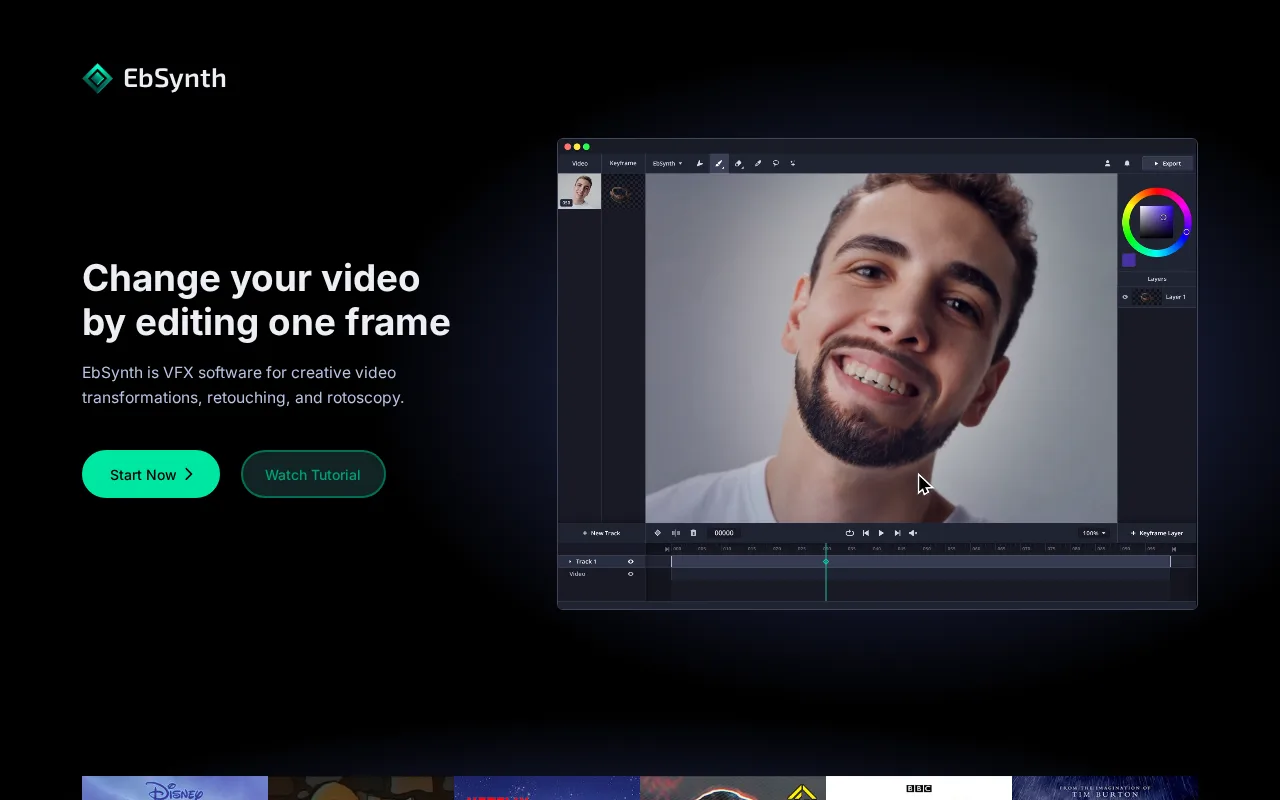
Ebsynth is a powerful tool for artists looking to stylize videos with minimal effort.
PROS
  • Unique style transfer from single frames to videos
  • User-friendly interface for quick results
  • Maintains motion and structure effectively
CONS
  • Requires experimentation for optimal results
  • Limited control over individual frame adjustments

Is Ebsynth Right for You?

A quick checklist to help you decide.

You need to create artistic videos from hand-painted frames.
You need detailed control over individual frames.
You want to maintain motion and structure in your video.
Free-tier limits are a blocker for extensive video projects.
Your team requires a user-friendly tool for video style transfer.
You require a fully automated video editing solution.

Ideal for: This tool fits if you are an animator or VFX artist looking to enhance your videos artistically.

Less suited for: Skip this tool if you need precise control over every frame or are looking for a purely automated solution.

Bottom line: The ability to transfer a single frame's style to an entire video seamlessly.

Editorial Review AI-generated
Ebsynth stands out for its unique ability to transfer styles from a single frame to an entire video, making it a favorite among animators and VFX artists. Its user-friendly interface allows for quick results, though it may require some experimentation to achieve the desired effect. Ideal for those seeking artistic video transformations without deep technical knowledge.

AI-assessed from 3 sources.

Pros & Cons

Pros

Unique style transfer capabilities
Easy to use for artists
Effective in maintaining video motion

Cons

Requires experimentation for optimal results moderate
Workaround: Try different keyframes for better outcomes.
Limited control over individual frame adjustments major
Who Is It For & What Can It Do
Best For
Designer / Creative Intermediate curve
AI Capabilities
Video generation
Key Features
Video style transfer
Apply artistic styles to videos from keyframes.
User-friendly interface
Intuitive design for quick learning.
Best Use Cases
Creating artistic animations Enhancing video projects with unique styles Transforming traditional art into digital media Experimenting with visual storytelling
Available Platforms
Desktop macOS Windows App
Inputs & Outputs
Imageinput Videooutput
Supported Languages
English
Security & Compliance
Pricing Plans

Free

Best for individuals

Free
 
  • Video style transfer
  • User-friendly interface

Ebsynth is available for free, making it accessible for individual users and small projects.

Price Range
Free $0–$0
Support Channels
Documentation
Did you find this page helpful?
Frequently Asked Questions
What is this tool?
Ebsynth is a desktop app for stylizing videos using hand-painted frames.
How much does it cost?
Ebsynth is completely free to use.
Does it have a free plan?
Yes, Ebsynth is available for free.
What integrations does it support?
Ebsynth does not currently support integrations.
Who is it best for?
Ebsynth is best for animators and VFX artists.
User Reviews

No reviews yet. Be the first to review Ebsynth!

Write a Review
Discussion
No discussions yet. Start the conversation!
0 tools selected
Compare Now →
Ebsynth Visit Tool