 Volvenix
Plask Review — Video-based 3D Animation
Convert videos into editable 3D character animations with an easy browser-based motion capture tool.
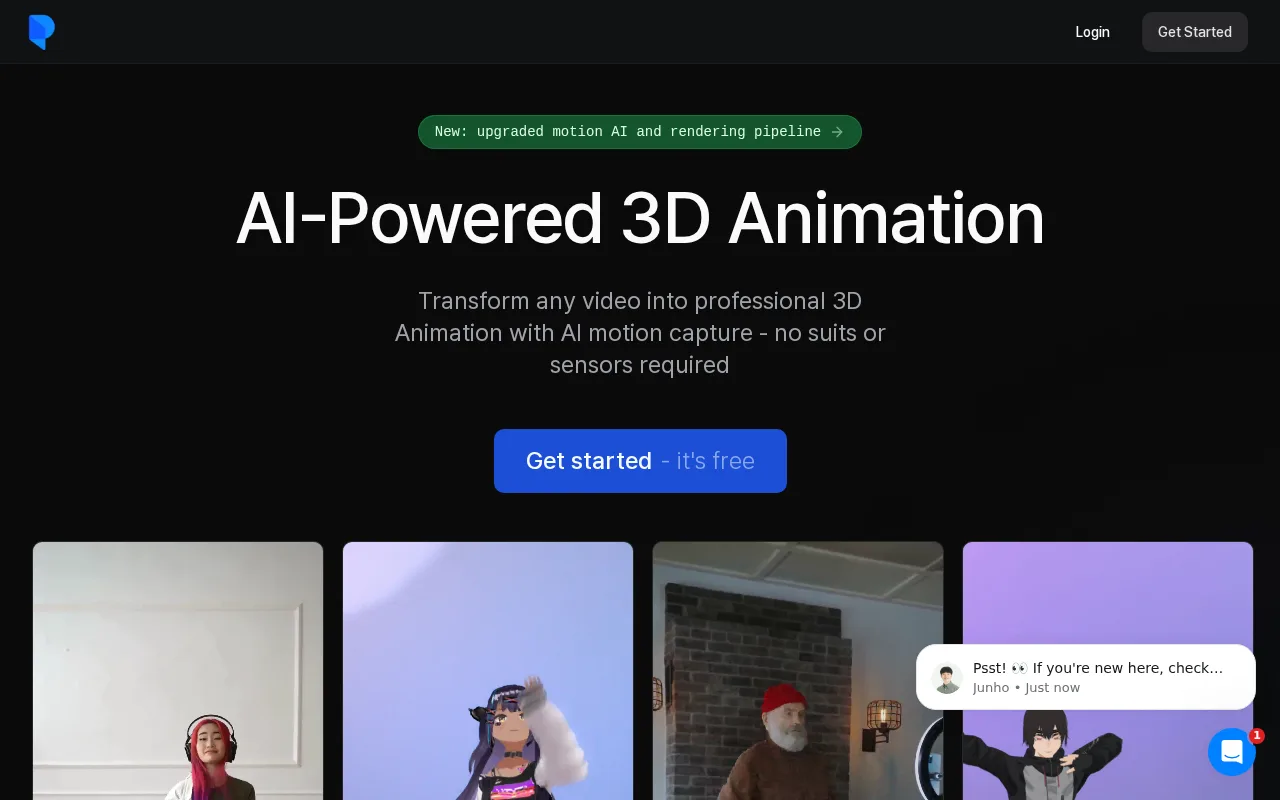
Plask offers an accessible and affordable solution for video-based 3D character animation with a user-friendly browser interface.
- Transforms video into editable 3D animations without hardware
- User-friendly browser-based editor
- Affordable freemium pricing
- Good for indie developers and animators
- Limited precision compared to professional mocap
- Dependent on video quality and lighting
Is Plask Right for You?
A quick checklist to help you decide.
Ideal for: Animators, indie game developers, and creators who want affordable, hardware-free motion capture and easy 3D animation editing.
Less suited for: Users requiring high-precision motion capture or advanced animation features found in professional mocap studios should look elsewhere.
Bottom line: Ability to create 3D animations from regular video footage without specialized hardware.
Pros
Cons
Free
Best for individuals
- Basic motion capture
- Browser editor access
Pro
- Unlimited projects
- Advanced export options
Team
For small teams
- Team collaboration
- Priority support
Offers a free tier with basic features and paid subscriptions for advanced capabilities and team use.




What is this tool?
How much does it cost?
Does it have a free plan?
What integrations does it support?
Who is it best for?
No reviews yet. Be the first to review Plask!
Scores are calculated algorithmically from feature coverage, pricing, user feedback & benchmark data — not influenced by commercial relationships. How we score → · Vendor Data Policy