Reduct logo
Rank #218
AUTOMATED TEXT EXTRACTION FREEMIUM CLOUD #2 in Automated Text Extraction

Reduct Review — Transcript-Based Video Editing

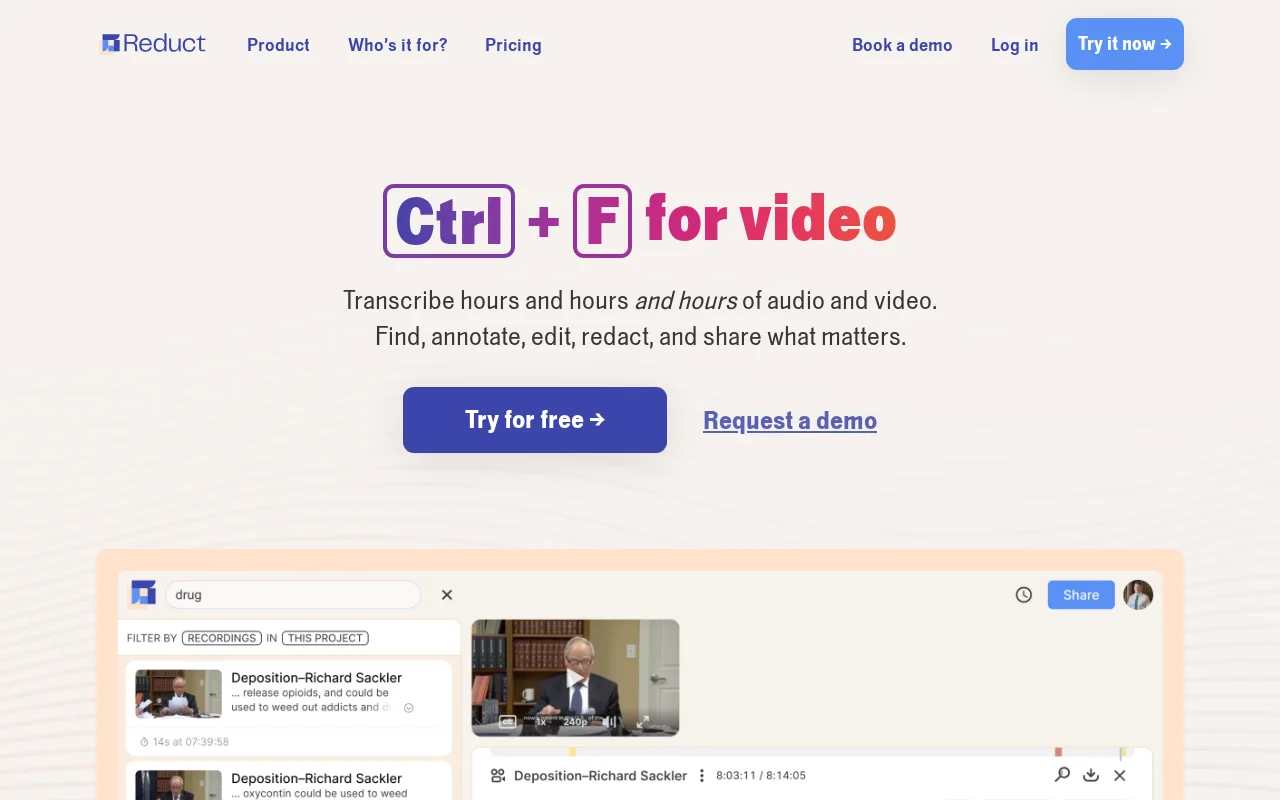
Edit and search video/audio files by editing transcripts, designed for researchers and teams.
7 monthly visitors 8 page views (30d)
Reviewed by Volvenix Editorial
7.5
Volvenix Verdict
AI-powered editorial review
Reduct
Reduct offers a unique text-based video editing workflow ideal for interview-heavy projects.
PROS
  • Innovative transcript-based video editing
  • User-friendly interface for non-editors
  • Strong collaboration features
  • Accurate transcription and search
  • Freemium pricing with accessible entry
CONS
  • Limited advanced video editing features
  • Some key features locked behind paid plans

Is Reduct Right for You?

A quick checklist to help you decide.

You need to quickly edit video content by modifying transcripts instead of timelines.
You need advanced video effects and multi-track editing capabilities.
You want to collaborate on video and audio projects with text-based tools.
Free-tier limits are a blocker for your volume of transcription or editing needs.
Your team requires efficient workflows for interview or meeting recordings.
You require a tool primarily for non-verbal or highly visual video editing.

Ideal for: Researchers, journalists, and teams who frequently edit interview or meeting videos using transcript-based workflows.

Less suited for: Users needing advanced video editing features or those working primarily with non-verbal video content should look elsewhere.

Bottom line: Ability to edit video content directly through transcript edits.

Editorial Review AI-generated
Reduct excels at simplifying video editing by allowing users to edit transcripts directly, which then updates the video content. This approach is particularly useful for researchers and journalists who work extensively with interviews and meetings. The interface is intuitive and collaboration-friendly. However, it may not suit users needing advanced video effects or broader multimedia editing capabilities. Its freemium pricing makes it accessible, but some features require paid plans.

AI-assessed from 3 sources.

Pros & Cons

Pros

Innovative transcript-based video editing workflow
User-friendly interface accessible to non-experts
Strong collaboration features for teams
Accurate transcription and search capabilities
Accessible freemium pricing model

Cons

Limited advanced video editing features moderate
Workaround: Use dedicated video editors for complex edits
Some features require paid subscription minor
Who Is It For & What Can It Do
AI Capabilities
Search Text Extraction Transformation
Key Features
Transcript-based video editing
Edit video by editing text transcripts
Accurate transcription
Automatic transcription of audio and video
Search within transcripts
Search spoken content via text
Team collaboration
Shared projects and editing
Export Options
Export edited video and transcripts
Best Use Cases
Editing interview videos by transcript Collaborative meeting video review Journalistic video content production Research video analysis and annotation Podcast transcription and editing
Inputs & Outputs
Videoinput Audioinput Videooutput Textoutput
Supported Languages
English
Security & Compliance
Compliance Standards
GDPR
Privacy · EU
Pricing Plans

Free

Best for individuals

Free
 
  • Basic transcription
  • Limited editing tools

Team

For small teams

$30/mo
$30.00/mo billed annually
  • Team collaboration
  • Priority support

Offers a free plan with basic features; paid plans add advanced transcription, editing, and team collaboration tools.


Support Channels
Documentation
Did you find this page helpful?
Frequently Asked Questions
What is this tool?
Reduct is a tool that transcribes, searches, and edits video and audio files using text-based workflows.
How much does it cost?
Reduct offers a free plan with basic features and paid plans starting at $20/month for advanced tools.
Does it have a free plan?
Yes, Reduct provides a free plan with limited transcription and editing capabilities.
What integrations does it support?
No publicly documented native integrations are available at this time.
Who is it best for?
It is best for researchers, journalists, and teams working with interview or meeting video content.
User Reviews

No reviews yet. Be the first to review Reduct!

Write a Review
Discussion
No discussions yet. Start the conversation!
0 tools selected
Compare Now →
Reduct Visit Tool